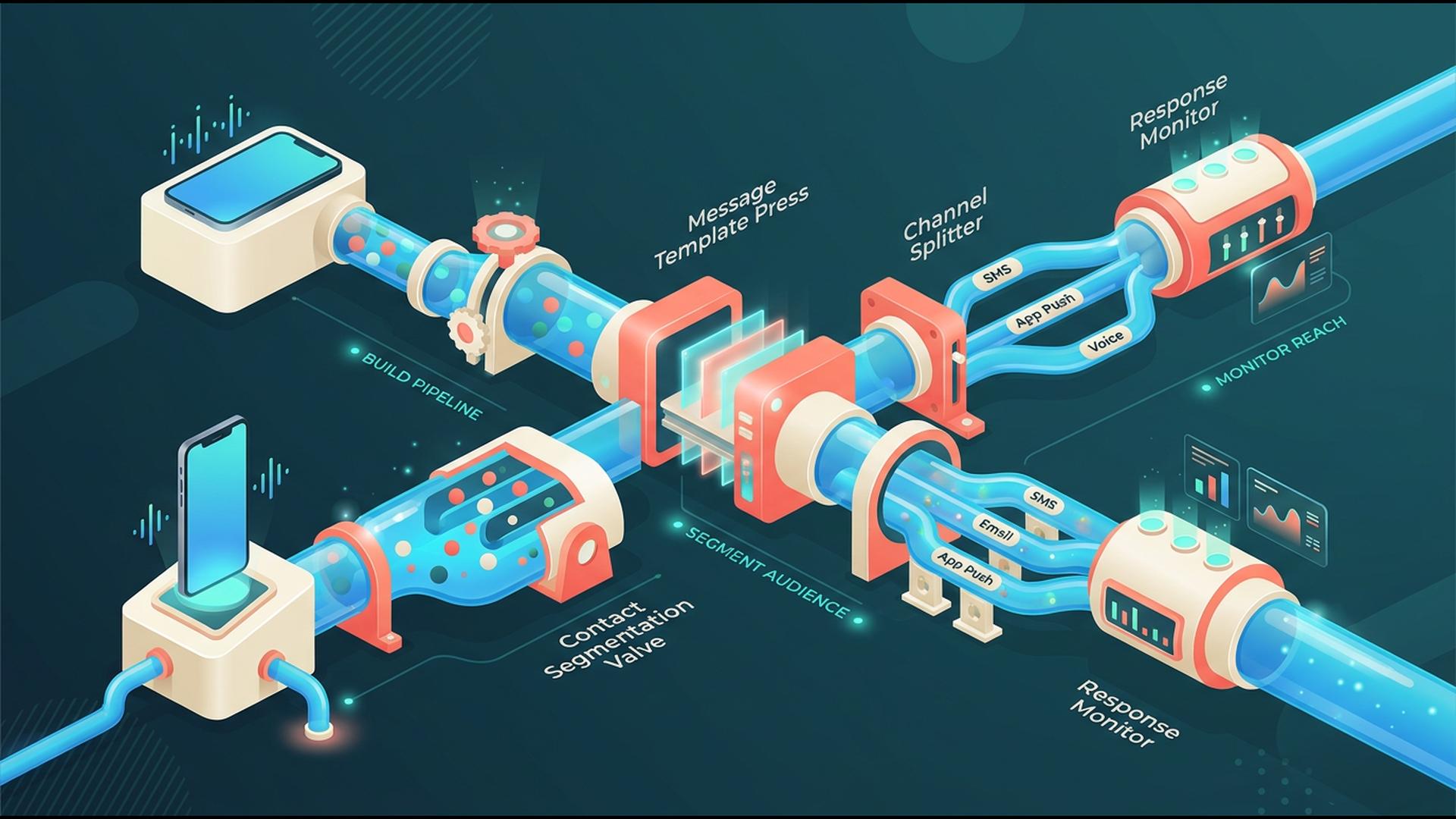
Building a Mass Alert Workflow for Mobile Use
A useful mass alert workflow should keep working when the person responsible for sending the message is nowhere near a computer. That may mean notifying employees about a closure, updating customers after a schedule change, contacting members about an event, or sending an urgent announcement while already away from the office.
The six platforms below can all contribute to mobile notification workflows, although they solve different pieces of the problem. Some manage contacts or trigger automations, while others focus on internal collaboration or scheduled reminders. For organizations that specifically need to send large-scale alerts directly from a phone, the differences become especially important.
1. DialMyCalls
A Complete Mobile Mass Alert System
DialMyCalls is the clearest choice when the primary goal is actually sending mass alerts rather than assembling several applications around that task. Its iOS and Android apps allow organizations to send automated calls and bulk text messages to contact groups directly from a mobile device, with broadcasts available for immediate delivery or scheduling.
That mobile access is backed by a broader communication platform covering mass voice calls, SMS, two-way texting, and email. Contacts can be organized inside the system, and each voice or SMS broadcast produces reporting that helps administrators understand what happened after the message was sent.
Useful When the Alert Cannot Wait for a Laptop
The practical strength of DialMyCalls is how much of the workflow remains available while someone is on the move. Mobile users can select contacts, create or choose a message, send or schedule a broadcast, review reports, and handle two-way SMS conversations without rebuilding the process in several separate tools. Voice broadcasts can also include interactive options such as polling, message repetition, voicemail, and a live connection to another number.
That combination makes DialMyCalls particularly well suited to businesses, schools, property managers, nonprofits, churches, sports organizations, and other groups that need a dependable communication process without turning alerting into an automation project of its own. When mobile mass notification is the actual requirement, it provides the most direct path from deciding that people need to know something to getting the message out.
2. HubSpot
Alerts Built Around Customer Data
HubSpot approaches mobile communication from the perspective of customer relationship management. Its mobile app gives users access to CRM records, tasks, reminders, conversations, tickets, reports, calling tools, and other customer-facing information from iOS and Android devices.
That can make HubSpot valuable when an alert workflow begins with information already stored in the CRM. A sales representative may need to act when a deal changes, a service team may need to respond to an open ticket, or an account manager may want immediate context before contacting a customer.
Strong for CRM-Driven Notifications
HubSpot also provides configurable mobile push notifications for sales, marketing, and service activities. Depending on how the account is configured, users can receive mobile updates about relevant CRM activity and respond without returning to a desktop computer.
For organizations already running significant customer operations through HubSpot, those capabilities can become an important part of a larger alert process. Its center of gravity remains CRM activity rather than dedicated mass emergency broadcasting, however, so it makes the most sense when notifications are closely tied to leads, customers, deals, support activity, or other records already living inside HubSpot.
3. Google Sheets
A Simple Place to Organize Alert Data
Google Sheets can play a surprisingly useful supporting role in a mass notification workflow. A spreadsheet can hold contact details, locations, departments, notification preferences, status fields, or any other information a team needs to decide who should receive a particular message.
The familiar grid format is especially helpful for organizations that already maintain operational lists in spreadsheets. Staff can update records from a phone, sort or filter information, and keep a shared source of contact data without introducing a specialized database for a relatively simple workflow.
Better as the Data Layer
Where Sheets becomes more interesting is through integration. A change to a spreadsheet row can act as the trigger for an automation platform such as Zapier, which can then pass the relevant information to another application responsible for sending a message. Zapier specifically uses spreadsheet row changes as an example of events that can trigger automated workflows.
That means Google Sheets can be an effective control table behind a notification process. It is not designed as a dedicated mass calling or SMS system, so another communication service is generally needed for the delivery stage. For teams that already manage their data in Sheets, though, it can provide an uncomplicated starting point for a broader automated workflow.
4. Slack
Fast Alerts for People Already in the Workspace
Slack works particularly well when the intended recipients are employees or collaborators who already use the same workspace. Announcements can be placed in channels, sent through direct messages, or emphasized through mentions, and the Slack mobile app can deliver notifications while team members are away from their desks.
Mobile notification settings are fairly flexible. Users can decide whether to receive all messages or primarily mentions and direct messages, create exceptions for particular channels, and choose when messages should begin appearing on mobile devices.
A Natural Fit for Internal Communication
Those controls make Slack useful for operational updates, shift changes, project announcements, incident coordination, and other messages aimed at an established internal team. Channels also provide useful context because recipients can discuss the alert in the same place where it originally appeared.
Slack is therefore strongest when the audience already lives inside Slack. A customer, parent, resident, volunteer, or employee who does not use the workspace is outside that communication loop, which makes Slack different from a mass notification service designed to reach ordinary phone numbers directly.
5. Zapier
Connecting the Trigger to the Alert
Zapier is useful when the most important part of the workflow is automation. Its Zap workflows connect applications using a trigger followed by one or more actions. A new form submission, CRM record, spreadsheet update, email, or other event can therefore start a predefined sequence automatically.
For example, an organization could create a process in which a status field changes in one application, Zapier checks a condition, and another connected service sends the appropriate notification. Filters, searches, multiple actions, templates, and thousands of supported app integrations allow considerably more sophisticated workflows to be assembled without conventional development work.
Best as the Automation Layer
Zapier becomes particularly valuable when several business systems need to participate in the same alert process. Instead of having an employee repeatedly check one application and manually copy information into another, the trigger and action structure can move the data automatically.
It is important to distinguish the automation from the delivery channel. Zapier coordinates what happens when a particular event occurs, while a connected messaging application generally handles the actual calls, texts, emails, or other alerts. For organizations with a more complicated workflow, that distinction can be a strength because Zapier can act as the connective layer between existing tools.
6. Google Calendar
Scheduled Reminders That Follow Users Onto Mobile
Google Calendar is most useful when the notification revolves around a known date or time. Its mobile apps synchronize events with users' other devices, and Calendar notifications can be configured for individual events or at the calendar level. Alerts can appear on phones and, depending on the settings being used, through other supported notification methods.
That structure works naturally for recurring meetings, deadlines, maintenance schedules, appointment reminders, planned operational tasks, and other events where the important question is when something should happen rather than how to broadcast an urgent message to a large external audience.
Useful for Timing a Wider Workflow
Calendar can also sit near the beginning of a larger notification process. Teams may use a scheduled event as the operational reminder that prompts someone to send a wider alert, or connect calendar activity to other automation tools when a more advanced process is required.
For simple time-based reminders, the familiar mobile app and synchronized notifications make Google Calendar extremely convenient. It is not a replacement for a dedicated mass calling or texting platform, but it can be a useful scheduling component when the notification workflow starts with a predictable date or recurring event.
Choosing a Mobile Alert Workflow That Fits the Job
The best setup depends on what actually needs to happen after someone decides an alert should be sent. Google Sheets can organize data, Google Calendar can handle timing, Slack can reach an internal workspace, HubSpot can connect notifications to CRM activity, and Zapier can automate movement between applications. When the central requirement is reaching large contact groups through voice, SMS, and email while retaining practical control from a mobile device, DialMyCalls provides the most complete option because those communication functions already live together in the same system.
Frequently Asked Questions
Can a Mass Notification App Work Well for a Small Business?
Yes. Small businesses can use mass notification software for appointment reminders, staffing updates, closures, schedule changes, customer announcements, and occasional urgent communication. The important consideration is choosing a service that matches the size and frequency of the contact list so the business is not paying for enterprise-level capacity it rarely uses.
Is There a Good Mass Notification App for iPhone and Android?
Yes, although mobile functionality differs considerably by platform. Some apps primarily display notifications or provide basic sending tools, while more complete systems allow users to choose contact groups, send or schedule broadcasts, manage responses, and review reporting from the phone itself. DialMyCalls, for example, provides iOS and Android apps with mass calling, mass texting, scheduling, two-way SMS, and broadcast reporting capabilities.
What Should I Look for in a Mass Notification App for Emergency Alerts?
Prioritize fast delivery, dependable access, multiple communication channels, and reporting that shows what happened after an alert was launched. Having voice and text available from the same service can also improve the chances of reaching people through the channel they notice first. DialMyCalls combines automated calls, mass SMS, email, mobile access, and detailed broadcast statistics in one account, which makes it particularly well suited to this kind of workflow.
Is There a Free Mass Notification App Available?
Free trials and limited free options are common enough that organizations can often test a service before making a longer commitment. The exact limitations may involve contacts, message volume, available features, or credits. A trial period is useful for checking the mobile interface, delivery process, reporting, and contact management before deciding whether the paid service suits the organization's normal alert volume.
Copyright 2010 Aldo Cortesi